

Wire your widgets: one surface, one sentence, and a Test it button
Everything a widget can be wired to now lives behind one search box — other widgets, connections, bots and agents. Describe the wiring in plain language, and fire a real event through it to find out which end is broken.
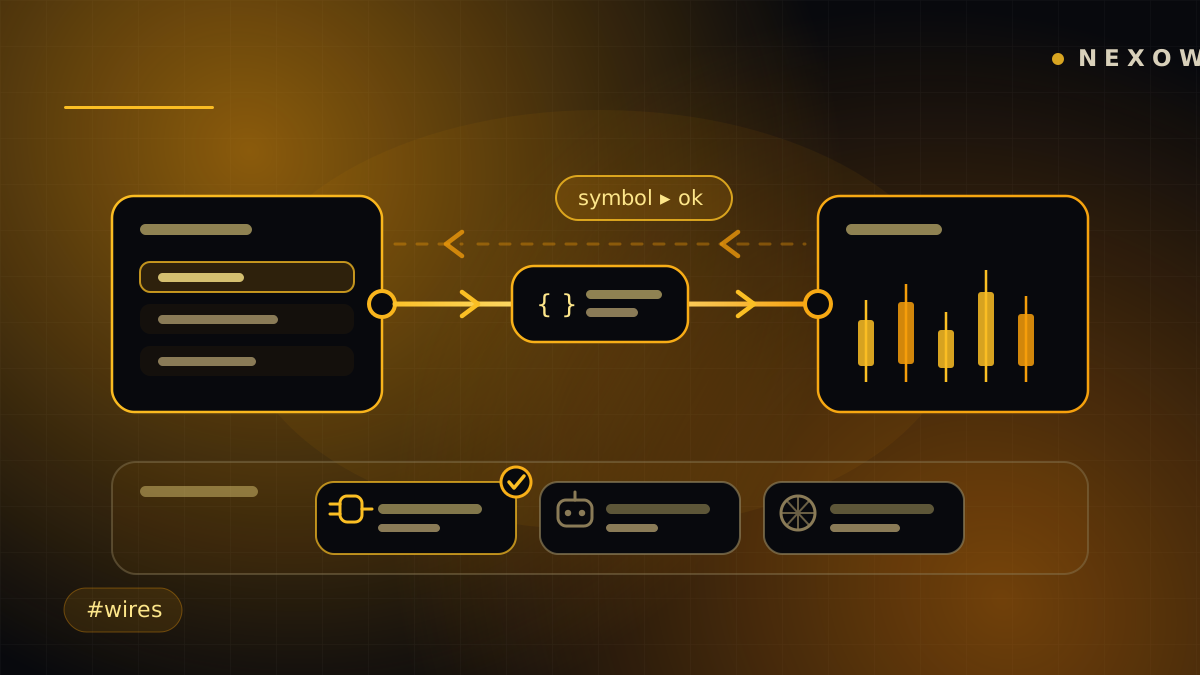
A link carries events between two widgets: change the symbol in one and the other reacts. Turn on Two-way and they stay in sync both directions. It is the difference between a screen full of separate tiles and a screen that behaves like one instrument.
The idea was fine. Finding it wasn’t, and neither was knowing whether it worked. Both are fixed in this release.
One surface, and “All” really means all
The picker used to be split across two sub-tabs — Widgets and Sources — which meant half your inventory was always hidden behind a toggle you had to know to press. A widget alone on its screen showed an empty grid, with no hint that bots, agents and connections existed at all.
Now there is one search box and one row of kind filters over everything: other widgets on this screen, in this workspace or elsewhere; your data connections; your bots; your agents. All shows all of it.
The order changed too. My wiring now sits above the browse surface. It used to sit under a picker grid that can run to dozens of tiles, so the one list you come back to manage — disable this, remove that — was the thing you had to scroll past everything else to reach, while the picker you only need when adding something new greeted you every time.
Small honesty fix in the same area: the empty state now waits for the bots and agents stores to answer before it claims there is nothing to wire, showing Looking… in the meantime, and each filter chip carries its own count. An empty grid that means “still loading” is a lie the interface used to tell routinely.
Two mechanisms, one question
Behind that single picker sit two genuinely different things:
- Another widget → an AI-generated glue link. Real code, with its own version history, running in its own hidden runtime, mapping what A emits into what B expects.
- A connection, bot or agent → a lightweight attachment, which is a record of what a rebuild taught this widget’s own code to do. Staged rather than automatic, so browsing five sources in a row costs one rebuild, not five.
Knowing which one you want, before you can say what you actually want to happen, is a bad first question to ask someone. So the Links tab now opens with a composer: describe the wiring.
“Sync the symbol both ways with the chart.” “When I click a row here, filter the other widget.” “Show my price-alert bot’s signals in this widget.”
A planner reads the same inventory the picker shows and resolves both the mechanism and the counterpart — “the price bot” becomes an id. It resolves only; it never generates. The expensive streaming codegen still runs where it always did, with its own Stop button and its own version history.
If you’d rather point at things yourself, the picker still does that — and now marks what you are already wired to, so a second pick reads as “already linked” instead of silently repeating the first. Picking it again updates the existing wiring rather than adding a duplicate row, and the badge says so before you pay for a rebuild.
“Test it”: which end is actually broken?
Until this release a link was write-only. You described it, paid for the codegen, then left the editor and poked the real widgets to find out whether anything happened. When nothing did, there was no way to tell which part was wrong — the widget not emitting, the link not mapping, or the other widget not listening.
The editor now has a Test it bar. Pick a topic and a value, choose which end
is pretending to emit (offered only on a two-way link, since a one-way link
would always report nothing from the far side), and send. The event goes into
the link’s real runtime and runs the generated connect(ctx) — not a simulation
of it — and the verdict distinguishes every way it can come up empty:
- This link isn’t running. Switch it on — or it has no code yet.
- It ran but forwarded nothing for that topic. The mapping is wrong; the Logs tab has the detail.
- Sent “symbol” on to Chart. It works.
- Forwarded, but that widget isn’t on screen to receive it. Not a bug — the other end is on another screen.
Testing stays on the list rather than bouncing you elsewhere, and the recorder is armed only while the bar is on screen, so a link forwarding a tick stream never pays for the instrumentation.
The quiet ones
Two-way links would echo forever without help, so a delivered value is remembered and the identical bounce-back is dropped once — the canonical A↔B mirror loop breaks, while a genuinely new value still gets through. Links and attachments replicate across your tabs and devices rather than living in one of them, so deleting one elsewhere now shows a gone state in the editor instead of letting you save into nothing. And when a rebuild fails, it says so and points at the Builder tab, rather than leaving a spinner where an answer should be.
One more change is on the way: the app is being renamed around the word people already use for this. Link becomes wire, and My wiring stays exactly where it is.
Launch Nexow, open any widget’s Links tab, and describe what should happen when you click something. Then test it before you leave.
Build your first widget in the next minute
Open the preview, describe one useful thing, and place it on your canvas.